קהילות פורומים, הורדות, יעוץ ותמיכה


+ תגובה לנושא
עמוד 2 מתוך 5 << ראשון 1234 ... אחרון >>
מציג תוצאות 16 עד 30 מתוך 75

LUXION Keyshot Pro/Animation/VR v5.1.66 (Mac OS X) 180103 - עמוד 2

  1. #16
    משתמש באטרף
    שם פרטי
    quangha
    תאריך הצטרפות
    08/2014
    גיל
    36
    הודעות
    193,952
    לייקים
    0
    נקודות
    50
    משפט מחץ
    iatraf.co.il
    מין: נקבה

    ברירת מחדל Better File Rename 6.08 180906

    Better File Rename 6.08 180906


    Better File Rename 6.08 | 16.1 Mb

    Better File Rename is the most comprehensive file renamer on the market. You get an industrial strength utility that's fast, flexible, reliable and easy to use. That's why since 1999, thousands of hobbyists, professionals and businesses depend on Better File Rename to organize and maintain their files.


    Comprehensive renaming options
    - add, remove, insert and replace characters and text
    - add, format, change and insert sequence numbers, create sequence number lists..
    - add file date and time to the beginning and the end, rename to date..
    - replace file and folder extensions
    - make uppercase, lowercase, title case or sentence case
    - create space-saving alphabetical sequences
    - truncate, remove vowels, reverse, transpose
    - and much, much more...

    Work the way that suits you best
    - You can use Better File Rename as a stand-alone application dragging & dropping files onto its application icon or directly into its preview window.
    - Alternatively you can use it straight from the Windows Explorer by right-clicking the files and selecting the "Better File Rename..." menu item.

    Instant preview eliminates guesswork and errors
    - See the results of your renaming options while you are typing or changing the parameters.
    - The instant preview makes short work out of finding the right settings and avoids costly mistakes.

    Bulk processing options
    - Separate processing for file names and file extensions
    - Process files, folders and subfolders ("recursively")
    - Choose to confirm each file name or batch process them automatically

    Combine multiple rename steps
    - You can combine several rename actions into a single multi-step rename. This allows you to perform even the most complex batch renaming jobs in a single pass.
    - Better File Rename allows you to create as many rename steps as you require and lets you edit and re-arrange them at will.

    Digital Photograpy
    - Better File Rename is the preferred renaming tool of many professional and ambitious amateur photographers and has over time grown an impressive array of features dedicated to manipulating sequence numbers (create sequence number lists, add and insert sequence numbers, pad them with 0s, etc..) and adding shooting dates & times to picture names.
    - In these operations you can exploit the shooting date & time extracted from the industry-standard EXIF digital camera meta-data stored in your JPEG, CR2 or NEF photos.

    Music & Sound Collections
    - Music lovers will be delighted by our MP3/AAC renaming feature that allows you to exploit the ID3 meta-data embedded in most music files to create their own naming schemes for their music collection. - Meta-data information from MP3, M4P, MP4, M4A and iTunes music store files are supported.

    Pro Workflow Support
    Save recurring renaming options to self-contained "droplet" applications. Drag & drop files and folders onto these droplets to apply the stored settings. This allows you to automate the renaming part of your workflow.

    Features for power users
    For those that need even more advanced features, we provide regular expression substitution support. This advanced string manipulation technique was popularized by UNIX and PERL professionals. Definitely not for the faint of heart, regular expressions are nonetheless an excellent tool for finding, replacing and swapping text fragments.

    Operating System: Windows 95/98/NT/2000/XP/VISTA/7/8/10

    Home Page -
    http://www.publicspace.net

    Buy a premium to download file with fast speed
    thanks
    Rapidgator.net
    https://rapidgator.net/file/bc626bc6....6.08.rar.html
    alfafile.net
    http://alfafile.net/file/77rz/75mrp....ename.6.08.rar

  2. קישורים ממומנים

  3. #17
    משתמש באטרף
    שם פרטי
    quangha
    תאריך הצטרפות
    08/2014
    גיל
    36
    הודעות
    193,952
    לייקים
    0
    נקודות
    50
    משפט מחץ
    iatraf.co.il
    מין: נקבה

    ברירת מחדל Balsamiq Mockups 3.5.15 MacOSX 180906

    Balsamiq Mockups 3.5.15 MacOSX 180906


    Balsamiq Mockups 3.5.15 MacOSX | 16 MB

    Using Mockups feels like drawing, but because it's digital, you can tweak and rearrange easily. Teams can come up with a design and iterate over it in real-time in the course of a meeting. Product managers, designers, developers, and even clients can now work together in the same tool to quickly iterate over wireframes, before writing code.


    Designed for Collaboration

    Mockups is designed to help you and your team or clients iterate on wireframes as early in the process as possible, when it's cheapest to do so. Here are some of the features that support this goal:
    extreme speed: you can create and tweak designs in real time during a design discussion meeting, whether you're all in the same room or sharing your screen in an online meeting.

    a look no-one is afraid to criticize: wireframes created with Mockups are intentionally rough and low-fidelity. The idea is to encourage as much feedback as possible...no-one will think you'll be offended by their input, they'll know immediately that you just 'threw it together' quickly.

    multiple ways to share and get feedback on your designs:
    Mockups exports to common PNG images which can be emailed as attachments, easily embedded in a website or saved in a shared folder.

    Mockups also exports to the clipboard, so that you can simply paste the snapshots to your Word or Powerpoint requirement documents and feature specifications.
    If you are using a plugin version of Mockups, you will be able to embed your Mockups in your wiki pages or bug reports, with access control, versioning and all the great Web Office features you've come to love.
    You can achieve near-real-time collaboration by coupling Mockups for Desktop with a "file sharing in the cloud" service like DropBox (learn more).

    If your colleagues haven't bought Mockups, they'll still be able to import your XML code in the free online demo version, tweak it, export it back and email it to you.
    We are currently developing an online version of Mockups (subscription-based), which will have commenting, versioning, access controls and all that good stuff.

    Compatibility: OS X 10.6 +

    Home Page -
    http://www.balsamiq.com/

    Buy a premium to download file with fast speed
    thanks
    Rapidgator.net
    https://rapidgator.net/file/4eab3b29...acOSX.zip.html
    alfafile.net
    http://alfafile.net/file/77r4/scnhx.....15.MacOSX.zip

  4. #18
    משתמש באטרף
    שם פרטי
    quangha
    תאריך הצטרפות
    08/2014
    גיל
    36
    הודעות
    193,952
    לייקים
    0
    נקודות
    50
    משפט מחץ
    iatraf.co.il
    מין: נקבה

    ברירת מחדל Avanquest InPixio Photo Maximizer 4.0.6467 Multilingual 180906

    Avanquest InPixio Photo Maximizer 4.0.6467 Multilingual 180906


    Avanquest InPixio Photo Maximizer 4.0.6467 Multilingual | 37.9 MB

    Ultra powerful zoom function which can enlarge images by up to 1000%. With its zoom algorithms, Photo Maximizer can tell you the target size of the image in pixels or centimeters. The required resolution can also be adjusted to give you flawless results. This is particularly important when printing your photos and guarantees you the highest quality results.


    High precision zoom without quality loss
    - NEW! Ultra-powerful zoom
    - NEW! Print oversized images and posters
    - NEW! InPixio bridge
    - IMPROVED! Enlarge your photos and improve their quality

    Before/after comparison
    Display up to four different zoom settings simultaneously! Compare the images and choose the best result!

    Enlarge photos on your PC, mobile, camera, etc.
    Simply transfer your photos to your PC and zoom away!

    Zoom your images and maintain extremely sharp edges
    Usually when you enlarge an image you get pixellation and deterioration of colour and brightness. Photo Maximizer maintains image quality and undesirable noise. With InPixio Photo Maximizer say goodbye to pixelated, grainy and blurred photos when zooming in.

    Print projects
    Print your enlarged images as posters, photos for framing, t-shirts, postcards and more.

    Settings module - New!
    Temperature, Hue, Brightness, Contrast, Shadows, Highlights, Clarity, Saturation

    Share Module - New!
    Facebook, Twitter FlickR, InstaCards - Share your photos with your friends and family on social networks, via email or as one-of-a-kind postcards (first card free).

    Print and Formatting functions - New!
    Determine image quality and easily print your photos from home

    Photo roll - New!
    One-click access to photos! All photos in the current folder are displayed and viewable in a preview area. Now you don't have to use the Open function to view photos!

    InPixio bridge - New!
    With a single click, switch from one editing function (e.g. cut) to the next (e.g. delete)!

    "InPixio" enlargement algorithm - Improved!
    The "InPixio" enlargement method has been significantly improved, so you can enlarge images and still get enhanced definition and quality during processing. The outlines of enlarged areas are also more precise.

    New interface and workspace - New!
    The new version has an attractive, ultra-modern user interface designed for even easier use.

    Home screen - New!
    Access all functions directly from a centralised start-up screen!

    Getting started tutorial - Improved!
    Interactive introductory lesson (tutorial). This short demonstration teaches you how to use the software and repeat the exact same steps on your own.

    System Requirements:
    - Windows 7, Windows 8, Windows 10
    - Pentium IV 1.2 GHz and compatible processors
    - 1 GB RAM (2 GB RAM for Windows 7/Vista)
    - 15 MB hard disk memory

    Homepage -
    http://www.avanquest.com/

    Buy a premium to download file with fast speed
    thanks
    Rapidgator.net
    https://rapidgator.net/file/a9cdb5d1...ngual.rar.html
    alfafile.net
    http://alfafile.net/file/77rV/hivz8....ltilingual.rar

  5. #19
    משתמש באטרף
    שם פרטי
    quangha
    תאריך הצטרפות
    08/2014
    גיל
    36
    הודעות
    193,952
    לייקים
    0
    נקודות
    50
    משפט מחץ
    iatraf.co.il
    מין: נקבה

    ברירת מחדל Abvent Artlantis Studio 6.5.2.14 (x64) Multilingual 180906

    Abvent Artlantis Studio 6.5.2.14 (x64) Multilingual 180906


    Abvent Artlantis Studio 6.5.2.14 (x64) Multilingual | 556.8 Mb

    The new, physically correct Artlantis 6 rendering engine, with its legendary simplicity, allows you to create visualizations of an incomparable beauty and quality. To create stunning images, Artlantis 6 now includes its own built-in physical engine, emphasizing physical rendering quality, precision, material accuracy, and energy consumption.


    White Balance
    White Balance allows you to adjust the dominant color of a scene to the ambient lighting. Simply set this new parameter to automatic color mode or select a reference color, which will be recognized as white in the 3D scene.

    Ambient occlusion
    This new option in Artlantis allows users to display a global ambient occlusion to create virtual shadows in small areas where natural light doesn't go. It brings more depth and relief to both interior and exterior scenes.

    White model
    During calculation, white model rendering changes all surfaces to white except for those that are transparent. Lights maintain their color for sophisticated environments.

    Pre-settings
    Choose among many pre-set modes (indoor, outdoor, low light) and different definitions (speed, medium, quality), to quickly set the best results!

    Exposure
    Artlantis offers two illumination methods: Automatic Light Adjustment and ISO/Shutter. By choosing the Automatic Light Adjustment setting, the lights and neon power used in the scene are automatically adjusted to the sky and sun illumination

    IES Lights
    By default, Artlantis offers 8 IES pre-set profiles. Artlantis 6 now allows you to import downloaded IES profiles from manufacturers' websites. These files are used to simulate realistic illumination of your projects. For even greater flexibility, Artlantis 6 allows you to easily edit the brightness, color, direction and opening angle.

    HDRI
    Artlantis now fully compatible with HDRI files, for the background and for the global illumination. The "enhanced sky" function in the engine settings increases the photorealism of the images.

    Neon shader
    In addition, neon lights have been completely updated for this version with considerable gains in terms of quality and calculation speed.

    Site insertion
    When using the site insertion feature, Artlantis 6 offers a new and simple projection process with more accurate calculations. After aligning the XYZ axis in the 2D view and in the preview window, the model is easily positioned on the background image. A revolutionary integrated tool allows you to add transparency to a foreground image directly in Artlantis to enhance the quality of your projects.

    Integrated Alpha Mask Editor
    This revolutionary tool allows you to add transparency to a foreground image directly in Artlantis to enhance the quality of your projects.

    Laser projection
    With a simple click on the reference plane in the preview window, you set the position and orientation of the projection of the laser. A red line projected 360 in the model allows you to automatically position the objects or textures.

    Catalog & Media
    Accessing the Artlantis Media Store is now done with a single click. To customize your catalog, Artlantis 6 lets you freely create your own folders at level 2. New selection features allow you to view recently used media, shaders and objects already in the project or those added to the selection. Thanks to the "drop-drop" tool, you can insert random media from the selection into the project with every click of the mouse.

    Recommended Configuration
    Intel� Core i7, 4+ Core
    RAM: 16 GB
    System: Windows 7, 8.1, 10 (64 bits)
    Graphic Card: 2 GB g�rant OpenGL *
    Display: 1920 x 1080 pixels
    Internet access

    Home Page -
    https://artlantis.com/

    Buy a premium to download file with fast speed
    thanks
    Rapidgator.net
    https://rapidgator.net/file/2b8c962d...ngual.rar.html
    alfafile.net
    http://alfafile.net/file/77jG/1d5i2....ltilingual.rar

  6. #20
    משתמש באטרף
    שם פרטי
    quangha
    תאריך הצטרפות
    08/2014
    גיל
    36
    הודעות
    193,952
    לייקים
    0
    נקודות
    50
    משפט מחץ
    iatraf.co.il
    מין: נקבה

    ברירת מחדל 3D-Coat 4.8.0.4 beta 180906

    3D-Coat 4.8.0.4 beta 180906


    3D-Coat 4.8.0.4 beta | 770.0 mb

    Pilgway has released an updated (version 4.8.04) 3D-Coat, is the one application that has all the tools you need to take your 3D idea from a block of digital clay all the way to a production ready, fully textured organic or hard surface model.


    Changes 4.8.04 (beta):

    - Fixed problem of baking sculpt shaders to paint room
    - Fixed problem of texture preview when you edit shader.
    - Bake menu in Paint room. It allows to drop paint objects to Sculpt room, modify there and bake normal/other maps back on paint object.
    - Plane tool in paint room works correctly with normalmap layer.
    - Sticky kays activation time increased to prevent false sticking.
    - fixed problem of very long importing for PPP in some cases.

    About 3D-Coat. 3D-Coat software from Pilgway is used primarily in the production of 3D models for computer games, but also in related fields such as film and entertainment. The software is on the cutting edge of 3D graphics.

    About Pilgway. Pilgway, an international company at the forefront of 3D technology, is investing in academic game development worldwide with its innovative 3D software.

    Product: 3D-Coat
    Version: 4.8.04 (beta)
    Supported Architectures: x64
    Website Home Page :
    https://3dcoat.com/

    Language: multilanguage
    System Requirements: PC
    Supported Operating Systems: Windows Vista and above
    Size: 770.0 mb


    Buy a premium to download file with fast speed
    thanks
    Rapidgator.net
    https://rapidgator.net/file/980f9f9c....beta.rar.html
    alfafile.net
    http://alfafile.net/file/77jv/bxmhm....8.0.4.beta.rar

  7. #21
    משתמש באטרף
    שם פרטי
    quangha
    תאריך הצטרפות
    08/2014
    גיל
    36
    הודעות
    193,952
    לייקים
    0
    נקודות
    50
    משפט מחץ
    iatraf.co.il
    מין: נקבה

    ברירת מחדל Autodesk Robot Structural Analysis Professional.2018.0.2 (x64) Multilingual 180906

    Autodesk Robot Structural Analysis Professional.2018.0.2 (x64) Multilingual 180906


    Autodesk Robot Structural Analysis Professional 2018.0.2 (x64) Multilingual | 958 MB

    Autodesk Inc., a world leader in 3D design software for entertainment, natural resources, manufacturing, engineering, construction, and civil infrastructure, announced the release of Robot Structural Analysis 2018. This software provides engineers with advanced BIM-integrated analysis and design tools to understand the behavior of any structure type and verify code compliance.


    Autodesk Robot Structural Analysis Professional software provides structural engineers with advanced building analysis capabilities for large and complex structures. The structural analysis software offers a smoother workflow and interoperability with Autodesk Revit Structure software to extend the Building Information Modeling (BIM) process, enabling engineers to more quickly perform comprehensive analysis of a variety of structures.

    Create structural models and perform structural analysis within Robot Structural Analysis Professional, and seamlessly transfer the model and results to AutoCAD Structural Detailing software to generate fabrication drawings. Within this ecosystem of structural engineering software, structural engineers can take advantage of an integrated workflow from design through analysis to fabrication.

    Key subscription benefits:
    GREATER ACCESS
    Enjoy broad access to the latest innovations in tools, technologies, and services to fit your needs-now and in the future.

    FLEXIBLE CONTROL
    Better manage users and costs by providing access to the right products and updates when your team needs them.

    VALUABLE INSIGHTS
    Evaluate and analyze product usage, spending, productivity, and future needs with easy-to-use reporting tools and alerts.

    What's New in Autodesk Robot Structural Analysis Professional 2018:
    Simulation and Analyses
    - You can perform calculations of models including RC columns and over 32 000 combinations.
    - On computers with multicore processors, calculations of column reinforcement are performed faster. The acceleration is proportional to the number of cores. To perform calculations faster, the Parallel processing - multiprocessing option must be selected (a default setting). To access this option, select Tools Preferences Advanced.
    Other Improvements
    - In the RC design modules and the Connection Design module, the contents display correctly when you select the Medium or Larger option from the Display settings.
    Fixed Issues
    View the list of issues fixed in Autodesk Robot Structural Analysis Professional 2018 to learn the details.

    System Requirements: PC
    Supported Operating Systems: Windows 7even SP1 / 8.x

    Home Page -
    https://www.autodesk.com/

    Buy a premium to download file with fast speed
    thanks
    Rapidgator.net
    https://rapidgator.net/file/4329146b...ual. rar.html
    alfafile.net
    http://alfafile.net/file/7ixZ/wk40z....ilingual. rar

  8. #22
    משתמש באטרף
    שם פרטי
    quangha
    תאריך הצטרפות
    08/2014
    גיל
    36
    הודעות
    193,952
    לייקים
    0
    נקודות
    50
    משפט מחץ
    iatraf.co.il
    מין: נקבה

    ברירת מחדל Autodesk Mudbox 2018.1 180906

    Autodesk Mudbox 2018.1 180906


    Autodesk Mudbox 2018.1 | 1.7 Gb

    Autodesk Inc., a world leader in 3D design software for entertainment, natural resources, manufacturing, engineering, construction, and civil infrastructure, announced the release of Mudbox 2018.1, is a cost-effective digital sculpting and painting solution. Mudbox provides 3D artists with an intuitive and tactile toolset for creating and modifying high-quality 3D geometry and textures.


    Bugs Fixed in This Release

    MDBX-653 Horizontal randomization does not produce symmetrical results
    MDBX-680 Stencil thumbnail display gets corrupted when switching image file using Import
    MDBX-766 The thumbnail of default VDM stencil is wrong in tray
    MDBX-1587 When 3ds Max hotkeys are selected, Mudbox should zoom in and out in same way as Max
    MDBX-1617 Object List window scrolls to the right automatically
    MDBX-1708 Sculpt layer Mask brush does not respect Freeze
    MDBX-1773 Hotkeys 1 through 9 do not correspond to last tool panel touched
    MDBX-2025 Artifacts appear in 3D curve after subdividing the mixed mesh
    MDBX-2214 Painting mesh with local symmetry active crashes Mudbox
    MDBX-3334 Gigatexel is always processing, even with images off
    MDBX-3529 Tiling plane can't be sculpted after you flip it
    MDBX-3667 Sculpt layers at different subdivision levels are not flipping correctly, leading to crashes
    MDBX-3943 Mudbox stops responding or becomes slow while importing some FBX files
    MDBX-4011 Cannot compile most of the SDK examples because of QHash
    MDBX-4027 Cannot undo flipped curves if created on lower subdivision levels
    MDBX-4235 Grab brush doesn't produce correct results on objects with multiple shells when using Surface or Volume Falloff
    MDBX-4415 While painting with symmetry on the X axis, using Shift to smudge fails on other side
    MDBX-4457 Creating mirrored joints along local axis for n-sided meshes crashes Mudbox
    MDBX-4485 Undoing/redoing manual retopology crashes Mudbox
    MDBX-4648 Undoing color adjustments crashes Mudbox
    MDBX-4687 Stamp image cannot be reset in Sculpt tool properties
    MDBX-4699 Undoing the deletion of a light crashes Mudbox
    MDBX-4740 Making a mesh symmetrical crashes Mudbox
    MDBX-4742 Opening attached file and resaving as a new file, then reopening will crash Mudbox.
    MDBX-4798 Mudbox crashes while opening attached OBJ file
    MDBX-4870 Hovering over corrupted areas of a mesh crashes Mudbox
    MDBX-4872 Mudbox crashes after undoing flipped and posed mesh
    MDBX-4898 Object list's Information column's data should be presented in a cleaner way
    MDBX-5252 Selecting Windows > Properties > Geometry/Material shows a brush dialog if there is no mesh in the scene.
    MDBX-5267 No progress bars show in status bar when merging or duplicating layers
    MDBX-5269 Mudbox crashes after deleting flattened mesh and then undo/redo
    MDBX-5331 Two undos required to undo Deselect All
    MDBX-5391 Tiling plane does not function correctly after save and reopen
    MDBX-5440 Tangent Space Vector Displacement Map is not accurate
    MDBX-5684 Freeze brush does not tile
    MDBX-5734 Normal map extraction produces bad results
    MDBX-5745 Brush Properties: Falloff section should be placed above Advanced section
    MDBX-5746 FOV is not the same value for a custom camera after you export/import camera via FBX
    MDBX-5809 Painting on front-facing polygons shows the stroke on back-facing polygons
    MDBX-5840 Ptex files with embedded meshes replace object name with file path
    MDBX-5847 Grab brush doesn't work properly when mirrored and dragged over a different mesh
    MDBX-5861 Bad results for edge bleed for single vertex connecting two faces
    MDBX-5889 Symmetrical painting performance is slow
    MDBX-5961 Some thin lines appear on mesh after VDM extraction
    MDBX-6057 Opening attached file will crash Mudbox
    MDBX-6087 Twisting a surface using the Grab brush with symmetry produces undesired results
    MDBX-6095 Mudbox crashes when an object has partial or no UVs, and Flood from Camera is used
    MDBX-6104 Internal 16-bit conversion of 8-bit PNG layers gives a darker result after each save
    MDBX-6121 Creating a joint in the mesh near other joints crashes Mudbox
    MDBX-6127 Erase brush's Flood function doesn't work after undo
    MDBX-6138 Artefacts in map extraction when mesh has n-sided faces
    MDBX-6143 If object is selected, freezing transforms produces double transforms
    MDBX-6172 Wacom tablet Mouse mode does not work properly
    MDBX-6173 Send to: existing layer is not blended after the mesh is updated
    MDBX-6176 Sending objects from 3ds Max to Mudbox makes camera and viewcube appear wrong
    MDBX-6182 Undoing sculpt strokes crashes Mudbox
    MDBX-6192 Symmetry and randomize create paint artefacts
    MDBX-6208 Dragging and dropping layers does not work in Mudbox 2017
    MDBX-6210 Merge Visible merges Layer Groups
    MDBX-6216 Can't undo the creation, deletion, or changing of subdivision levels
    MDBX-6243 Toggling the visibility of a sculpt layer created by Sculpt Using Map corrupts the mesh
    MDBX-6247 Wrong result when flipping meshes
    MDBX-6249 Painting with a stamp does not produce a symmetrical result when camera is tilted
    MDBX-6258 Pinch error with non-uniformly scaled objects
    MDBX-6261 Displacement map is incorrect if meshes are transformed
    MDBX-6264 Modelers need to know when to use Subdivision or Ray Casting locate methods for map extractions
    MDBX-6277 Crash when deleting extraction map operation
    MDBX-6290 Mesh is distorted after undoing flip pose
    MDBX-6304 Bits per-channel output ignores setting
    MDBX-6306 Delete key does not work on MAC OSX
    MDBX-6308 Using Smear brush on transformed meshes results in incorrect direction of vertex movement
    MDBX-6330 Using Undo/Redo twice after Flipping distorts mesh
    MDBX-6332 Mesh disappears after pressing delete + undo
    MDBX-6362 Normal maps discrepancy between menu and pop-up window
    MDBX-6389 Selecting Paint or Sculpt tool while curve is selected crashes Mudbox
    MDBX-6413 Smooth Target UVs can lead to artifacts on the extracted maps
    MDBX-6420 Edge bleeding is insufficient when smooth UV is on

    About Autodesk Mudbox. Mudbox is one of the best digital sculpting and 2D/3D painting solutions on the market today. Each release since Autodesk acquired Mudbox in 2007 has introduced important performance improvements and new toolsets and workflows.

    In 3D CG retopology is the process of producing a new 3D model based on the topology of a source 3D model: topology refers to a model's polygonal mesh. Retopology has become necessary in CG practice and workflows because dense polygonal details like wrinkles, folds, and textures are common in sculpted and scanned 3D models.

    While these dense details look great, the millions of polygons necessary to produce that level of detail makes the 3D model impossible to animate or sometimes even render. Retopology tools allow you to transform a dense 3D model features into one that has fewer polygons and edge flows - and that is practically useful for animation and rendering. The high details are reproduced using normal, displacement and vector displacement maps.

    Mudbox features two primary retopology workflows, Computed Retopology and Guided Retopology. In Computed Retopology, the retopology operation is largely automatic - though some initial parameters may be set.

    In Guided Retopology, the artist draws curves and edge loops on the model - in addition to setting parameters to guide the retopology operation. Guided Retopology uses two types of curves as guides. Soft Constraint Curves which [suggest polygon flows]. Hard Constraint Curves tell Mudbox exactly where to place edges during the retopology operation.

    About Autodesk. Autodesk helps people imagine, design and create a better world. Everyone-from design professionals, engineers and architects to digital artists, students and hobbyists-uses Autodesk software to unlock their creativity and solve important challenges.

    Product: Autodesk Mudbox
    Version: 2018.1
    Supported Architectures: x64
    Website Home Page :
    http://www.autodesk.com

    Language: multilanguage
    System Requirements: PC / MacOsx
    Supported Operating Systems: Windows 7even or newer / Apple MacOsx 10.10.5 and 10.11.x
    Size: 1.7 Gb

    Buy a premium to download file with fast speed
    thanks
    Rapidgator.net
    https://rapidgator.net/file/7f2dd12d...81mac.rar.html
    https://rapidgator.net/file/10595fd1...81win.rar.html
    alfafile.net
    http://alfafile.net/file/7ix3/udju8.sedAMu181mac.rar
    http://alfafile.net/file/7ixd/udju8.sedAMu181win.rar

  9. #23
    משתמש באטרף
    שם פרטי
    quangha
    תאריך הצטרפות
    08/2014
    גיל
    36
    הודעות
    193,952
    לייקים
    0
    נקודות
    50
    משפט מחץ
    iatraf.co.il
    מין: נקבה

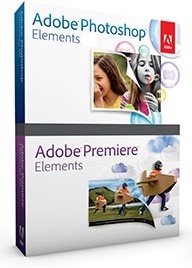
    ברירת מחדל Release Name: Adobe.Photoshop.Premiere.Elements.2018.v16.0 180906

    Release Name: Adobe.Photoshop.Premiere.Elements.2018.v16.0 180906


    Release Name: Adobe.Photoshop.Premiere.Elements.2018.v16.0
    Size: 2.39 GB

    Description: Being creative with your photos and videos has never been easier. Get the new release to easily organize your photos and videos, make them look amazing with intelligent editing options, turn them into stunning creations, and quickly share your memories.


    Hassle-free organization
    Go from hundreds of mystery folders to a visual view of your photos and videos - automatically.Easily find your photos and videos with automatic sorting and visual tagging.See your best photos auto-curated based on quality, faces, subjects, and more.
    Intelligent editing
    Open closed eyes in photos like magic and make selections effortlessly.Automatically bring together the best scenes in your videos with Smart Trim, and auto-extract photos from your raw footage with Candid Moments.Get step-by-step help with creative photo and video techniques and effects.
    Stunning creations
    Totally reimagined slideshows bring together curated photos and short clips with one click.Make printed photo artwork, collages, and gifts.Add style to your videos with titles, effects, transitions, and themes.
    Shareable memories
    Create fun bounce-back GIFs* and animated social posts.Easily print photos to display and share.Share photos, videos, and slideshows on Facebook, YouTube, Vimeo, and Twitter.
    Release Name: Adobe.Photoshop.Premiere.Elements.2018.v16.0
    Size: 2.38 GB
    Links: HOMEPAGE

    Buy a premium to download file with fast speed
    thanks
    Rapidgator.net
    https://rapidgator.net/file/1b3b0134....2017.rar.html
    https://rapidgator.net/file/17909c95....2017.rar.html
    alfafile.net
    http://alfafile.net/file/7iqm/8ul9i....6.010.2017.rar
    http://alfafile.net/file/7iqb/8ul9i....6.010.2017.rar

  10. #24
    משתמש באטרף
    שם פרטי
    quangha
    תאריך הצטרפות
    08/2014
    גיל
    36
    הודעות
    193,952
    לייקים
    0
    נקודות
    50
    משפט מחץ
    iatraf.co.il
    מין: נקבה

    ברירת מחדל ZWCAD ZW3D 2018 22.00.Beta 3 180906

    ZWCAD ZW3D 2018 22.00.Beta 3 180906


    ZWCAD ZW3D 2018 22.00.Beta 3
    File size: 859/946 MB

    ZWSOFT, an innovative supplier of CAD solutions to the AEC and MCAD industries, announces that the official version of the brand's flagship solution, ZWCAD is now available. ZWCAD Official is powered by a brand-new hybrid technology, and it couples familiar interface with 64bit system support so users can do even more, faster, easier and better.


    ZW3D's Features:
    Familiar Interface and Commands
    ZWCAD provides familiar Classic and Ribbon interface, you can easily switch to choose the environment you prefer. With the familiar CAD commands and alias that you have already known how to use, you can use ZWCAD immediately without any re-learning cost.

    Compatibility
    Open or save DWG drawings from ACAD version R12 , open or save as DWT or DXF
    Import DGN files, exchange drawings with MicroStation�

    Innovation
    SmartVoice
    Mark with voice annotation
    SmartMouse
    Trigger commands by mouse gesture

    SmartSelect
    Multi-filter for selection
    SmartPeek (coming soon)
    Pressing Ctrl+Tab, preview drawing while switching

    2D Drafting
    Auto-complete Command Input
    MText
    Multi-line text, full text editing functions
    Images
    Insert raster images, support formats like JPEG, PNG and BMP
    Block
    Collect geometry together into one object which you can use repeatedly
    External Reference
    Attach other DWG drawings as references
    Table
    Use table to present data like revision table or bill of materials
    MLeaders
    Attach multi-leader annotations
    Associative Dimension
    Dimension adjusted along with the geometric objects
    Revision Cloud
    Mark the revision items with free-form clouds around them and call attention to them
    Layer Properties Manager
    Set layer properties like color, linetype and VP Freeze
    Attribute Block
    Block embeds textual information such as inventory numbers, prices, description and more
    Zoom and Pan
    Pressing the mouse wheel or rolling to pan and zoom, easily manipulate the view

    Advanced Tools
    Dynamic Block
    Block with parameters, easy to modify
    Match Property
    Apply existing style to other objects
    Insert OLE Object
    Embed OLE object into a drawing
    File Compare
    Find differences between drawings
    Tool Palettes
    More than 100 built-in blocks
    Super Hatch
    Use block, external drawing, or image as hatch pattern
    Reference Manager
    Manage all external resources like text, image and drawing
    Object Isolation
    Control the visibility of specified objects

    3D Features
    Visualizing
    Hide, shade and render (render is coming soon)
    Modeling
    Create and modify 3D model
    Viewing
    View freely with 3D Orbit, and get perspective view with DVIEW

    Output
    Print with STB/CTB Description style
    Print or publish in other formats

    Collaboration
    ZWCAD mobile solution - CAD Pockets for portable devices, with which you can freely work on your desktop and on the go
    APIs
    Code-level compatible APIs, easy to migrate
    Numerous apps, and more are coming

    HOMEPAGE
    http://www.zwsoft.com

    Buy a premium to download file with fast speed
    thanks
    Rapidgator.net
    https://rapidgator.net/file/d73e7ee6...AMPED.rar.html
    https://rapidgator.net/file/511928c3...AMPED.rar.html
    alfafile.net
    http://alfafile.net/file/7isN/uisd2....0.x64AMPED.rar
    http://alfafile.net/file/7isi/uisd2....22.00AMPED.rar

  11. #25
    משתמש באטרף
    שם פרטי
    quangha
    תאריך הצטרפות
    08/2014
    גיל
    36
    הודעות
    193,952
    לייקים
    0
    נקודות
    50
    משפט מחץ
    iatraf.co.il
    מין: נקבה

    ברירת מחדל Hallmark Card Studio 2018 Deluxe 19.0.0.11 180906

    Hallmark Card Studio 2018 Deluxe 19.0.0.11 180906


    Hallmark Card Studio 2018 Deluxe 19.0.0.11
    ShiChuang x86/x64 | English | File Size: 221.03 MB | 969.21 MB
    Extra: Bonus Pack, Print Artist Scrapbooks & More, Creative Art 4 Clip Art & New Creative Fonts Pack


    For more than 100 years Hallmark has designed greeting cards for life's special moments. Hallmark Card Studio� Deluxe 2018 extends this tradition, making it easy to create one-of-a-kind Hallmark cards as unique as the people you care for.

    Hallmark Card Studio� 2018 - Personalize Thousands of Hallmark Cards, Calendars, Scrapbooks & More:
    - FUN! Built-in Digital Photo Editor - fix photo flaws and apply special effects
    - Animated home screen and user interface
    - Card History - remembers the cards you send to family and friends so you never repeat.
    - ENCHANCED! More matching envelopes to send your card off in style
    - FAST! Search cards by design, theme or occasion for quick results
    - Themed party sets including placemats, place cards, gift bags and labels
    - FUN! Easy integration with Facebook and other social networks
    - Exclusive hand-crafted Hallmark fonts
    - FUN! Built-in Digital Photo Editor- fix photo flaws and apply special effects
    - Photo Cards, Calendars, 3D Cards & 3D Projects and more
    - Writing Etiquette Guide helps you compose sympathy, gratitude, heartfelt notes and more
    - EASY! A video tutorial gets you started fast

    What's New in Hallmark Card Studio 2018 Deluxe:
    - MORE! 18,000+ Hallmark Cards & Creative Projects! (6,800+ more than standard edition)
    - IMPROVED! 20,000+ Premium Graphic Images! (7,000+ more than standard edition)
    - MORE! 15,000+ Hallmark Sentiments! (5,000+ more than standard edition)
    - NEW! Card Designs, Matching Envelopes, Photo Projects, Coloring Cards, School Sign Projects, 3D Projects, Calendars, Themed Party Sets, and More!
    - PLUS! Built-in Digital Photo Editor!
    - PLUS! $220 in Bonus Software + Gifts Absolutely Free!

    System Requirements:
    - ShiChuang� XP, Vista�, 7, 8 or 10
    - Intel� Pentium� 4 or faster
    - 1 GB RAM
    - DVD Drive (for Box Version)
    - Color Printer

    Buy a premium to download file with fast speed
    thanks
    Rapidgator.net
    https://rapidgator.net/file/bec0934f...xtras.rar.html
    https://rapidgator.net/file/2306e28a...2018D.rar.html
    alfafile.net
    http://alfafile.net/file/7oXq/xidau1...18D.Extras.rar
    http://alfafile.net/file/7oX7/xidau123_HCS2018D.rar

  12. #26
    משתמש באטרף
    שם פרטי
    quangha
    תאריך הצטרפות
    08/2014
    גיל
    36
    הודעות
    193,952
    לייקים
    0
    נקודות
    50
    משפט מחץ
    iatraf.co.il
    מין: נקבה

    ברירת מחדל Movavi Video Suite 17.0.1 Multilingual Portable 180906

    Movavi Video Suite 17.0.1 Multilingual Portable 180906


    Movavi Video Suite 17.0.1 Multilingual Portable | 100 MB

    Movavi Video Suite is comprehensive video making software that helps you create professional-looking movies and slideshows on your home computer - even if you have no experience. Incorporate music, create text captions, apply visual effects and transitions - you can do whatever you want with your video.


    In addition to the video making app, Movavi Video Suite contains a number of useful apps to help every video maker: powerful video converter that supports 180+ media formats, convenient utility for burning DVDs, a special tool for digitizing analog video, and more.

    With Movavi movie making software you can:
    - Make a movie from video or audio clips already stored on your computer, mobile device, or camera
    - Create a slideshow from photos or pictures
    - Capture video from a screen and make a video tutorial
    - Record yourself on a webcam to create a unique entry for your blog

    Improve Video Quality
    Stabilize shaky video, tweak color settings, sharpen blurry video, and much more

    Cut and Join
    Cut out unnecessary fragments or join individual clips to make one longer movie

    Let Your Story Flow Smoothly
    Link the different segments of your video with stylish transitions

    In Movavi Video Suite you'll find more than 60 different visual effects, including
    - Retro Movie
    - Slow Motion
    - Flying Objects
    - ... and many more

    Work with Audio
    - Add background music and sound effects in almost any format
    - Choose from the ready-made audio tracks included with the program
    - Record your own voice-over using your microphone
    - Vary audio volume and playback speed

    Add Captions
    - Choose from over 100 fonts
    - Add excitement with animated text
    - Create colorful text backgrounds
    - ... and much more!

    Save Your Movie so You Can Watch it Anywhere!
    - Upload your movie to YouTube or Facebook directly from the program or
    - Save it in any popular video or audio format and watch it on your computer
    - Use our handy mobile presets to watch your movie on your smartphone, tablet, or other mobile device
    - Record video on CD, DVD, or Blu-ray

    The most powerful video converter ever!
    Supports more than 180 video, audio, and image formats, changes the file format as quickly as copying it from one folder to another.

    Convenient app for screen capturing
    Records all your screen activity at the best quality possible: your use of applications, streaming video and audio, and much more.

    Video Digitizer
    Will accurately digitize your VHS collection or video stream from your TV tuner, as well as transfer AVCHD-camera recordings to your computer.

    System Requirements:
    - Microsoft Windows� XP/Vista/7/8/10 with up-to-date patches and service packs installed
    - Intel�, AMD� or compatible processor, 1.5 GHz
    - NVIDIA� GeForce� series 6 or higher, AMD Radeon� R600 or higher graphics card with up-to-date drivers
    - 1024x768 screen resolution, 32-bit color
    - 512 MB RAM for Windows XP and Windows Vista,
    - 1 GB for Windows 7, Windows 8, and Windows 10
    - 850 MB available hard disk space for installation,
    - 2 GB for ongoing operations
    - Administrator permissions are required for installation

    Home Page -
    https://www.movavi.com

    Buy a premium to download file with fast speed
    thanks
    Rapidgator.net
    https://rapidgator.net/file/6f38409c...table.rar.html
    alfafile.net
    http://alfafile.net/file/7Cky/kh0td....l.Portable.rar

  13. #27
    משתמש באטרף
    שם פרטי
    quangha
    תאריך הצטרפות
    08/2014
    גיל
    36
    הודעות
    193,952
    לייקים
    0
    נקודות
    50
    משפט מחץ
    iatraf.co.il
    מין: נקבה

    ברירת מחדל Movavi Video Editor Plus 14.0.0 Multilingual 180906

    Movavi Video Editor Plus 14.0.0 Multilingual 180906


    Movavi Video Editor Plus 14.0.0 Multilingual | 55 MB

    Movavi Video Editor is a powerful yet easy-to-use video processing program for Windows. Cut and join video clips with zero quality loss, apply stylish video effects and filters, add music, titles, and much more!


    Despite its extensive functionality, Movavi's video editing software is very easy to work with: take a pinch of fantasy, mix it with some free time, and you'll have a Hollywood-like video with a lot less effort. Download the program, review the information on this page - and your path to fame has for sure begun!

    Upload Multimedia Files
    - Transfer recordings from photo or video camera to your computer
    - Capture webcam footage, record your voice via microphone
    - Upload video and audio files in any popular format: AVI, MOV, MP4, MP3, WMA, and many others
    - Digitize VHS tapes, record video from TV tuners
    - Add photos or any other graphic files

    Cut Unnecessary Parts. Join Fragments
    - Slice your video into as many segments as you want
    - Rotate and crop videos, delete unwanted segments
    - Join individual frames or video clips with over 20 stylish transitions

    Improve Video Quality
    - Adjust the sharpness of your video
    - Improve brightness, contrast, and other color settings
    - Stabilize any shaky sections
    - Automatically improve video quality with Magic Enhance
    - And much more!

    Apply Titles
    - Choose from more than 100 fonts
    - Experiment with word art
    - Set color, size, and other text parameters
    - Create stylish text backgrounds
    - Rotate captions in any direction
    - Make text animations
    - ... and much more!

    Add Music. Record Voiceover
    - Upload background music and sound effects in MP3, WMA, or any other popular formats
    - Capture sound from an MIDI-keyboard, electric piano, or other musical instruments connected to your computer
    - Record voiceover using your microphone

    Save Video in Convenient Format
    - Save video clips in popular video and audio formats to play on your computer
    - Use intelligent output presets for viewing on smart phones, tablets, and other mobile devices
    - Prepare your videos for uploading to YouTube, Facebook, Vimeo, or any other website

    System Requirements:
    - Microsoft Windows XP/Vista/7/8/10
    - Intel or AMD or compatible dual-core processor, 1.5 GHz
    - NVIDIA� GeForce� series 6 or higher, AMD Radeon� R600 or higher graphics card with up-to-date drivers
    - Display resolution of 1024x768, 32-bit color
    - 256 MB RAM for Windows XP, 512 MB for Vista, 1 GB for Windows 7, Windows 8, and Windows 10
    - Minimum 250 MB free hard disk space for installation, 2 GB for ongoing operations

    Home Page -
    https://www.movavi.com

    Buy a premium to download file with fast speed
    thanks
    Rapidgator.net
    https://rapidgator.net/file/7fa42473...ngual.rar.html
    alfafile.net
    http://alfafile.net/file/7Ck2/vctz9....ltilingual.rar

  14. #28
    משתמש באטרף
    שם פרטי
    quangha
    תאריך הצטרפות
    08/2014
    גיל
    36
    הודעות
    193,952
    לייקים
    0
    נקודות
    50
    משפט מחץ
    iatraf.co.il
    מין: נקבה

    ברירת מחדל Movavi Video Editor Plus 14.0.0 Multilingual Portable 180906

    Movavi Video Editor Plus 14.0.0 Multilingual Portable 180906


    Movavi Video Editor Plus 14.0.0 Multilingual Portable | 70.5 MB

    Movavi Video Editor is a powerful yet easy-to-use video processing program for Windows. Cut and join video clips with zero quality loss, apply stylish video effects and filters, add music, titles, and much more!


    Despite its extensive functionality, Movavi's video editing software is very easy to work with: take a pinch of fantasy, mix it with some free time, and you'll have a Hollywood-like video with a lot less effort. Download the program, review the information on this page - and your path to fame has for sure begun!

    Upload Multimedia Files
    - Transfer recordings from photo or video camera to your computer
    - Capture webcam footage, record your voice via microphone
    - Upload video and audio files in any popular format: AVI, MOV, MP4, MP3, WMA, and many others
    - Digitize VHS tapes, record video from TV tuners
    - Add photos or any other graphic files

    Cut Unnecessary Parts. Join Fragments
    - Slice your video into as many segments as you want
    - Rotate and crop videos, delete unwanted segments
    - Join individual frames or video clips with over 20 stylish transitions

    Improve Video Quality
    - Adjust the sharpness of your video
    - Improve brightness, contrast, and other color settings
    - Stabilize any shaky sections
    - Automatically improve video quality with Magic Enhance
    - And much more!

    Apply Titles
    - Choose from more than 100 fonts
    - Experiment with word art
    - Set color, size, and other text parameters
    - Create stylish text backgrounds
    - Rotate captions in any direction
    - Make text animations
    - ... and much more!

    Add Music. Record Voiceover
    - Upload background music and sound effects in MP3, WMA, or any other popular formats
    - Capture sound from an MIDI-keyboard, electric piano, or other musical instruments connected to your computer
    - Record voiceover using your microphone

    Save Video in Convenient Format
    - Save video clips in popular video and audio formats to play on your computer
    - Use intelligent output presets for viewing on smart phones, tablets, and other mobile devices
    - Prepare your videos for uploading to YouTube, Facebook, Vimeo, or any other website

    System Requirements:
    - Microsoft Windows XP/Vista/7/8/10
    - Intel or AMD or compatible dual-core processor, 1.5 GHz
    - NVIDIA� GeForce� series 6 or higher, AMD Radeon� R600 or higher graphics card with up-to-date drivers
    - Display resolution of 1024x768, 32-bit color
    - 256 MB RAM for Windows XP, 512 MB for Vista, 1 GB for Windows 7, Windows 8, and Windows 10
    - Minimum 250 MB free hard disk space for installation, 2 GB for ongoing operations

    Home Page -
    https://www.movavi.com

    Buy a premium to download file with fast speed
    thanks
    Rapidgator.net
    https://rapidgator.net/file/c9763384...table.rar.html
    alfafile.net
    http://alfafile.net/file/7CVz/nrfx1....l.Portable.rar

  15. #29
    משתמש באטרף
    שם פרטי
    quangha
    תאריך הצטרפות
    08/2014
    גיל
    36
    הודעות
    193,952
    לייקים
    0
    נקודות
    50
    משפט מחץ
    iatraf.co.il
    מין: נקבה

    ברירת מחדל Movavi Video Editor 5 Plus 5.0.0 Multilingual | macOS 180906

    Movavi Video Editor 5 Plus 5.0.0 Multilingual | macOS 180906


    Movavi Video Editor 5 Plus 5.0.0 Multilingual | macOS | 65 mb

    If your inner filmmaker craves more video editing tools, Movavi Video Editor Plus is just what you need. The program includes all the functionality of our standard Video Editor, PLUS some exciting extra features like object animation.


    - Essential video editing
    - Filters, transitions, titles, effects
    - Montage Wizard
    - Keyframe animation of titles, overlay video, etc.
    - New sample video
    - New built-in music
    - Stickers

    Compatibility: OS X 10.6.8 or later 64-bit
    Homepage:
    https://www.movavi.com/video-editor-plus-mac/

    Buy a premium to download file with fast speed
    thanks
    Rapidgator.net
    https://rapidgator.net/file/8926b248...5.0.0.rar.html
    alfafile.net
    http://alfafile.net/file/7CV2/r6ztz....Plus.5.0.0.rar

  16. #30
    משתמש באטרף
    שם פרטי
    quangha
    תאריך הצטרפות
    08/2014
    גיל
    36
    הודעות
    193,952
    לייקים
    0
    נקודות
    50
    משפט מחץ
    iatraf.co.il
    מין: נקבה

    ברירת מחדל Movavi Video Converter 17.3.0 Multilingual 180906

    Movavi Video Converter 17.3.0 Multilingual 180906


    Movavi Video Converter 17.3.0 Multilingual | 40 Mb

    Enjoy video and music your way! With Movavi Video Converter, you can prepare your multimedia files for instant playback in any format and on any device. And you don't need to be a geek to do it: just select the format or device you want from the vast list of supported options and hit one button - your files will be ready in seconds.


    Plus you get a huge range of exciting extras: enhance video quality, adjust and normalize sound levels, trim, merge, crop, and rotate files before you convert - all through our trademark user-friendly interface that's so easy to master!

    Work with video, audio, and images in any format
    - Open video files in any format and resolution, including Ultra HD.
    - Transfer your DVD collection to your hard drive - rip DVDs and save them as video files.
    - Process your entire music library with one click.
    - Convert image files between most popular formats.

    Be sure you get the best-possible quality results
    - Choose the exact format you need: the program supports all current video, audio, and image formats and codecs.
    - Enjoy one-click conversion of media files for 200+ mobile devices using our handy ready-made presets.
    - Prepare your video for uploading to video hosting sites and social networks quickly, easily - and automatically.

    Save time thanks to leading-edge technologies
    - Using our innovative SuperSpeed mode, you can convert video up to 79x faster than using traditional conversion methods. No re-compression or loss of quality!
    - Support for NVIDIA CUDA, NVENC, and Intel HD Graphics hardware acceleration increases conversion speed up to 3.5 times.
    - Use your multicore processor to the max! The software estimates your CPU usage and loads the processor cores in the most efficient way, converting 2 or 4 H.264 files simultaneously.

    Other Features:

    Extract Audio
    Extract audio from video and save any portion of a movie soundtrack to create ringtones and music samples.

    Adjust Sound
    Increase, decrease or normalize sound volume. Transfer up to 16 soundtracks to your final video.

    Create GIFs
    Create comic GIF animations from your video files. Specify the video segments you want to convert to GIF.

    Save Frames
    Capture screenshots from videos and save them in popular image formats.

    Share Online
    Upload converted files to social media sites from right inside the program using the built-in Share Online app.

    Watch Folder
    Specify a folder and conversion parameters, and all video files in that folder will be converted automatically.

    Flexible Settings
    Choose video and audio codecs, specify custom resolution, bitrate, and other advanced settings.

    Two-pass Encoding
    Choose this option for optimal balance between size and quality of output video.

    System Requirements:
    - Microsoft Windows� XP/Vista/7/8/10 with up-to-date patches and service packs installed
    - Intel�, AMD� or compatible processor, 1 GHz
    - NVIDIA� GeForce� series 6 or higher, AMD Radeon� R600 or higher graphics card with up-to-date drivers
    - 1024x768 screen resolution, 32-bit color
    - 256 MB RAM for Windows XP, 512 MB for Windows Vista,
    - 1 GB for Windows 7, Windows 8, and Windows 10
    - 140 MB available hard disk space for installation,
    - 750 MB for ongoing operations
    - Administrator permissions are required for installation

    Homepage-
    http://www.movavi.com

    Buy a premium to download file with fast speed
    thanks
    Rapidgator.net
    https://rapidgator.net/file/ecfce265...ngual.rar.html
    alfafile.net
    http://alfafile.net/file/7CQi/9evp8....ltilingual.rar

+ תגובה לנושא


הרשאות פרסום

  • אין באפשרותך לפרסם נושאים חדשים
  • אין באפשרותך לפרסם תגובות
  • אין באפשרותך לצרף קבצים
  • אין באפשרותך לערוך את הודעותיך


כל הזמנים הם לפי GMT +3. השעה כרגע היא 20:01.
מופעל על ידי vBulletin™ © גרסה 4.1, 2011 vBulletin Solutions, Inc. כל הזכויות שמורות.
פעילות הגולשים
אומנות וגרפיקה
מוזיקה
ספורט
סדרות טלוויזיה
סרטים וקולנוע
קנייה ומכירה
רשתות חברתיות
הבורר 3
פורומי פנאי ובידור
סרטים
סדרות
משחקים
דיבורים
אקטואליה
בעלי חיים
בדיחות והומור
משחקי ספורט
הבורר
מחשבים וטכנולוגיה
תמיכה טכנית
חומרה ומודינג
תוכנות להורדה
סלולארי וגאדג'טים
רקעים למחשב
ציוד הקפי למחשב
אבטחת מידע
תכנות ובניית אתרים
כסף ברשת
אייפון
בריאות ואורח חיים
כושר ופיתוח גוף
דיאטה
צבא וגיוס
יעוץ מיני
מה שבלב
אומנות הפיתוי
יהדות
מיסטיקה ורוחניות
אתאיזם ודתות

נושאים: 2,538,070 | הודעות: 8,238,667 | משתמשים: 315,603 | המשתמש החדש ביותר: upizijoj | עיצוב גרפי: סטודיו עודד בביוף | קידוד: rellect