






 Alien Skin Snap Art 3.0.0.759 (32 - 64 bit) [ChingLiu]
Alien Skin Snap Art 3.0.0.759 (32 - 64 bit) [ChingLiu] | 59 MB
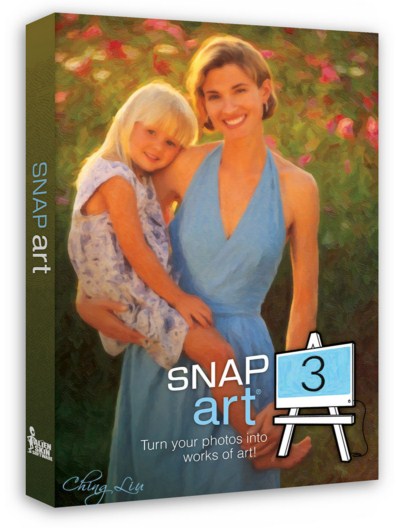
Snap Art turns your photograph into a beautiful work of art that looks completely handmade. Improved realism in version 3 keeps your subject natural and recognizable. The result is a finished piece worthy of printing on canvas and hanging in a gallery.
Using Snap Art just requires a creative idea, not hand-eye coordination or technical training. Simply choose hundreds of styles such as oil paint, watercolor, pencil sketch, or the new crayon. If you need more control, the new detail mask letâ?�s you quickly mark areas where you want the subject to be clearer.
Features
Snap Art 3 turns photos into art that looks completely natural and handmade. - To use Snap Art, you will need to have one of the Adobe products Photoshop, Photoshop Elements, or Lightroom. See the requirements for details and watch our videos to see how Snap Art works in these programs as a plug-in.
Lightroom Support - Snap Art 3 has tight Lightroom integration that supports batch processing and does not require Photoshop.
NEW Improved Realism - Version 3 uses more refined stroke placement to keep edges sharp and reproduce natural texture. This keeps the subject natural and recognizable. If you used Snap Art in the past then you will notice dramatically clearer results, especially on portraits.
NEW Detail Mask - Instead of oval focus regions, Snap Art 3 now has a detail mask. This lets you quickly mark exactly where you want more detail. This is great for leaving backgrounds abstract while faces are detailed and natural.
Wide Range of Media and Styles - Snap Art can draw with a wide range of physical media, such as oil paint, watercolor, pencil, and charcoal. Within those, you can choose a plethora of styles like impasto, pointillism, or modern art techniques like comics and stylize.
NEW Crayon and Improved Presets - We added multiple crayon presets for that messy colorful look. the presets for existing media types were remade and reorganized to be easier to use.
NEW Everything in One Place - Snap Art went ten filters to just one. Now you can explore of the media types and styles in one place without switching filters. The entire user interface is redesigned for easier exploration. The presets are always visible on the left, there is a huge preview in the center, and you experiment with your style on the right.
NEW Hidden Complexity - There are now presets that control groups of related sliders. This lets you quickly experiment with one aspect of the art, such as color scheme, without having to manipulate four different sliders. We also hid the more esoteric sliders by default so you can focus on just the most important controls.
Non-Destructive Editing - Snap Art supports a non-destructive workflow, making experimentation easy. Effects in Photoshop are rendered on a new layer, leaving your original image untouched. In Photoshop, Snap Art can be run as a Smart Filter for easy tweaking of the effect after it is created.
System Requirements
- Windows: Pentium 4 processor or compatible and Windows XP SP3 or newer
- Monitor: 1024x768 resolution or greater
Host Requirements:
Snap Art 3 is a plug-in and requires one of the following host applications:
- Adobe Photoshop CS4 or newer
- Adobe Photoshop Elements 8 or newer
- Adobe Photoshop Lightroom 2 or newer
Language : Engkish
Homepage :Buy a premium to download file with fast speedקוד:http://www.alienskin.com/snapart/index.aspx
Kingfiles
Salefilesקוד:http://kingfiles.net/0swj2y9jdu7m/roow2.Alien.Skin.Snap.Art.3.0.0.759.32.64.bit.ChingLiu.rar
Uploadedקוד:http://salefiles.com/8z74t7qet7g9/roow2.Alien.Skin.Snap.Art.3.0.0.759.32.64.bit.ChingLiu.rar.html
Ryushareקוד:http://uploaded.net/file/5wjqaf76/roow2.Alien.Skin.Snap.Art.3.0.0.759.32.64.bit.ChingLiu.rar
Lumfileקוד:http://ryushare.com/1e1ab1c3eab1/roow2.Alien.Skin.Snap.Art.3.0.0.759.32.64.bit.ChingLiu.rar
קוד:http://lumfile.com/rd53jr6hu7q6/roow2.Alien.Skin.Snap.Art.3.0.0.759.32.64.bit.ChingLiu.rar.html
 ציטוט ההודעה
