






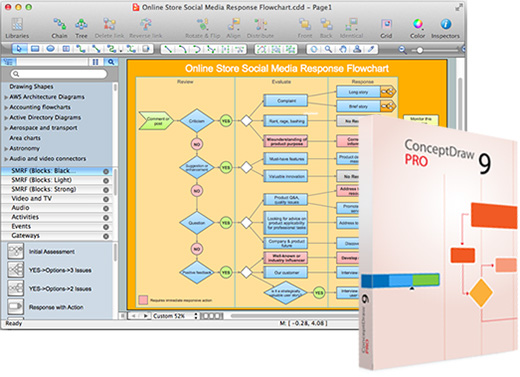
 ConceptDraw PRO 2014 v9.5 (Mac OS X)
ConceptDraw PRO 2014 v9.5 (Mac OS X) | 448MB
A world-class diagramming platform that lets you display, communicate, and present dynamically.
Powerful
enough to draw everything from basic flowcharts to complex engineering
schematics. Live Object technology dynamically displays linked data.
Compatible with MS Visio XML files, making it the premier cross-platform
diagramming solution.
ConceptDraw PRO also supports dynamic presentations that contain live
content and can be edited on the fly to reflect input from collaboration
or feedback. Presentations can be exported to numerous graphical
formats or emailed as a slide show. ConceptDraw PRO presentations can be
displayed in full-screen, automated playback mode, or using dual
monitors - display on one, edit on the other - for team collaboration.
Dynamic Presentations
•
With Dynamic presentations, you can display your presentation on a
secondary monitor or projector, while your main monitor is left open for
you to make edits as you move through the presentation. This allows you
the unique ability to collaborate with team members in a meeting
setting or quickly respond to feedback from your audience.
• Any
diagram or drawing you make in ConceptDraw PRO can be a dynamic
presentation - everything from flowcharts and block diagrams to network
diagrams and wiring schematics.
Presentation Preparation
•
Creating a presentation, slide by slide, in a multi-page format provides
maximum flexibility when presenting and using presentation content.
•
You can take additional control over your presentation by formatting
the appearance of each slide with background pages, color schemes, and
clip art.
• You can hyperlink to other objects and pages within the
presentation or hyperlink to external documents and web pages. The
benefit of this feature is your presentation is not confined to the
content inside the presentation; all resources are available for your
audience.
• You can create presentations that contain live objects.
Live objects can be set to respond to external data sources, such as a
file database or different data feeds on the internet.
• You can
export your presentation to Microsoft PowerPoint for local presentation
or to Adobe Flash (.SWF) for presentation over the web.
Presenting
•
You can have complete control over the pace and direction of your
presentation by manually progressing slides and navigating with
hyperlinks, or set the slide order and let your presentation play
automatically.
OS - MacOSX 10.7 or Later
Buy a Premium Account Rapidgator.net = High speed + parallel downloads!
Download:
קוד:http://www.uploadable.ch/file/BHBh7qeXVW7q/ConceptDraw.PRO.2014.v9.5.MacOSX.rar http://rapidgator.net/file/340a35030d1f9282a7426ad402f67782/ConceptDraw.PRO.2014.v9.5.MacOSX.rar.html http://u19887161.letitbit.net/download/67663.6e8f5604655cb504fd7a21d9943c/ConceptDraw.PRO.2014.v9.5.MacOSX.rar.html https://www.bl.st/pzqu87cypr79/ConceptDraw.PRO.2014.v9.5.MacOSX.rar
 ציטוט ההודעה
