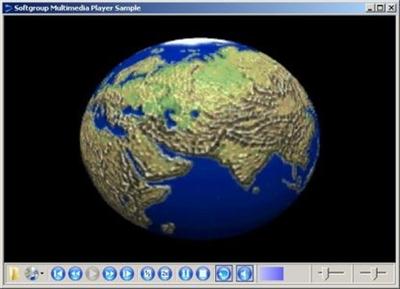
 Softgroup .NET Multimedia Control 4.5 | 5 MB
Multimedia is the best way to enhance the user interface of any application. Softgroup .Net Multimedia Control is a fast, small and lightweight .NET control that can be used to play most Audio and Video files using .NET technology.
Sofgroup .Net Multimedia Control support the following media file formats:
* AIF (AIFF, AIFC Audio Interchange File)
* AVI (Audio Video Interleave)
* AU (AU Audio File)
* DAT (Video stream from a Video CD)
* ENC (Encore Musical Notation)
* MID (Musical Instrument Digital Interface MIDI-sequention Sound
* MOV (QuickTime Video Clip)
* MPG/MPEG (MPEG 1 System Stream)
* MPE (MPEG Movie Clip)
* MPA (MPEG Audio Stream, Layer I, II or III)
* MPM (MPEG Movie)
* MPV (MPEG-1 Video File)
* MP1 (MPEG Audio Stream, Layer I)
* MP2 (MPEG Audio Stream, Layer II)
* MP3 (MPEG Audio Stream, Layer III)
* QT (QuickTime Movie)
* RMI (MIDI File)
* SND (Audio Files)
* VOB (DVD Video Movie File)
* WAV (Windows WAVE Sound File)
* WMA (Windows Media Audio File)
* WMV (Windows Media Video File)
* To play some video formats verify that required codec is installed on your system.
With Softgroup .Net Multimedia Control you can:
* Play supported Sound/Video files without installation of any additional library expect .Net Framework and specific codec (if required)
* Standard commands for Open/Close, Play, Stop, Pause/Resume, Begin, Backward, Forward, End and Auto-Repeat
* Enhanced low-level volume control with balance left / right audio channels and mute on/off
* Control reproduction speed for slow / fast reproduction (half and double)
* Optionally display of enhanced integrated graphical commands bar with full customizable displayed background colour, position, size and text / tooltips text
* Commands Bar Hide/Show of any section included commands, progress position, volume and balance controls.
* Commands Bar has integrated open multimedia file dialog, CD Rom control and Hide/Show of video display only and/or commands bar only
* CD Rom control with Open, Insert and Present methods
* State property to check multimedia state: Playing, Paused or Stopped
* Properties to gets/sets Position, Duration, Speed, Volume, Balance and Autoplay of both sound and video of multimedia
* Auto-detect of multimedia type: Sound, Video or CD Audio
* Enhanced events for control of multimedia status OnOpen, OnPlay, OnStop, OnPause, OnResume, OnEnd, OnMuteChange, OnPositionChange, onVolumeChange, onSpeedChange
* Methods to check supported multimedia/hardware fetautures for sound, volume and balance control
* Enhanced method to gets various information from multimedia like media type, device type, multimedia frames, audio CD tracks and others
* Require few system resources
* Full control of hardware/software errors throw OnError event without use of unexpected exceptions
Buy Premium From My Links To Get Resumable Support,Max Speed & Support Me






 Softgroup .NET Multimedia Control 4.5
 ציטוט ההודעה
