






 Windows 10 Enterprise LTSC v1809 Build 17763.1132 (x64) March 2020
OS : 64 bit | Language : Russian / English | File Size : 4.26 GB
This assembly was created on the original image of Windows 10 Enterprise LTSC 1809 x64. Integrated updates available on April 12, 2020, build increased to 17763.1132. The system is compressed to ESD format. The interface is left original. Read the details below.
Build Features:
• The basis of the original image ru_windows_10_enterprise_ltsc_2019_x64_dvd_9aef5d46.iso;
• The Install.wim file is compressed in ESD;
• Build updated to Build 17763.1132;
• The assembly was not in audit mode;
• Microsoft .NET Framework 3.5;
• Windows is not activated.
DETAILS OF THE CHANGES:
Included:
• Included .Net Framework 3.5 (including 2.0 and 3.0)
• Included professional Fraunhofer MP3 codec
• Windows Photo Viewer is turned on and installed as the default viewer
Topics:
• Dark theme notification center
• Wallpaper quality 100%
In explorer disabled:
• Keep a history of recently opened documents
• Taskbar - Small icons
Confidentiality:
• UAC user account admin request
• Show frequently used folders and files in quick access
Deleted:
• Print in PDF
• Windows PowerShell
The following shortcuts are displayed on the desktop:
• This computer
• Control Panel
Cleared:
• Cache NF.3.5
• Buckup
• Win-Re
• WinSxS
On the desktop for installation as desired:
Activator folder:
- W10 Digital Activation v.1.3.7
Themes folder:
- BLUE SMOKE x64
- green folders x64 W10 RS4
- Win 10 blue folders 2017 x64 [for RS4]
UTILITY FOLDER:
- Easy Context Menu v1.6
- W10 Privacy
- Destroy Windows 10 Spying
- HashTab v6.0.0.34 Setup
System requirements:
• Processor - 1 Ghz
• The amount of RAM - from 2 GB
• Video card - compatible with DirectDraw. DirectX 9.0 with WDDM 1.0 or later driver
• Screen resolution - 1024x768 and higher
• Sound device - compatible with DirectX 9.0cA
• Hard disk space - 30 GB
WHATS NEW
March 30, 2020-KB4554354
Highlights
Updates an issue that might display the wrong internet connection status for certain VPN users or might prevent some applications from connecting to the internet.
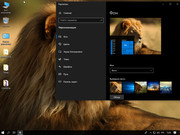
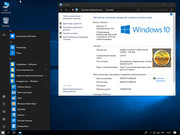
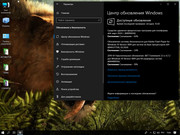
SCREENSHOTS
HOMEPAGE
קוד:https://www.microsoft.com/
Download From Rapidgator
Download From Nitroflareקוד:https://rapidgator.net/file/d7a810ddcc94cbefb52879337e75c8e4 https://rapidgator.net/file/47cba2843245cd70adeea1154e702bb3 https://rapidgator.net/file/faeab0a06d59275b6e6f7180f248e5d4 https://rapidgator.net/file/0858949aa120446c459bede1b5b217da https://rapidgator.net/file/b439c203ef5dece03de9d1f3dcd0fe22
קוד:http://nitroflare.com/view/242303AAEB59AD0/BaDshaH.enru_Windows10EnterpriseLTSC1809_Build_17763.1132_x64_IZUAL_12_04_20.part1.rar http://nitroflare.com/view/A03FA557CB07534/BaDshaH.enru_Windows10EnterpriseLTSC1809_Build_17763.1132_x64_IZUAL_12_04_20.part2.rar http://nitroflare.com/view/2266C8C26114A18/BaDshaH.enru_Windows10EnterpriseLTSC1809_Build_17763.1132_x64_IZUAL_12_04_20.part3.rar http://nitroflare.com/view/403ED8C4DB44BC6/BaDshaH.enru_Windows10EnterpriseLTSC1809_Build_17763.1132_x64_IZUAL_12_04_20.part4.rar http://nitroflare.com/view/E8BF3DECE4A0D15/BaDshaH.enru_Windows10EnterpriseLTSC1809_Build_17763.1132_x64_IZUAL_12_04_20.part5.rar

 ציטוט ההודעה
