






 ExeProperties v1.4.1.0
File size: 658 KiB (0.64 MiB) | Language: English
With ExeProperties you can check if a software (exe file) is 32-bit or 64-bit.
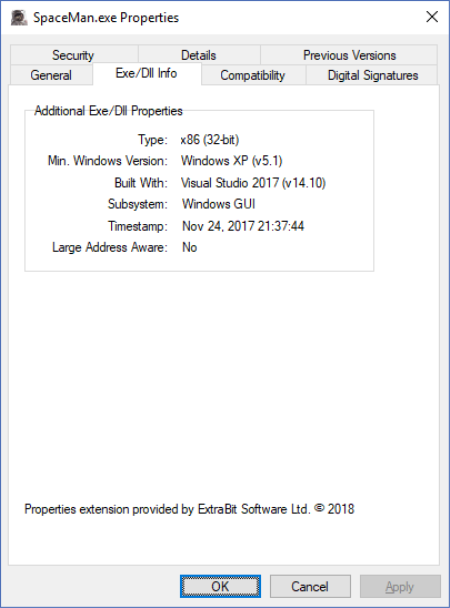
Windows does not provide any built-in way to detee if an EXE or DLL is 32-bit or 64-bit. This is where ExeProperties comes to the rescue. It is really easy to use, once installed it extends the built-in Windows File Explorer by adding an additional tab to the properties panel that shows extended properties for EXE and DLL files.
To view these extended properties, right click on an EXE or DLL file in Windows File Explorer, and select Properties from the context menu. The additional tab added by ExeProperties is called Exe/Dll Info. Select this tab to view the extended properties.
How to check if you are running a 32-bit or 64-bit Windows 10?:
If you don't know, right click "Windows Start button" and select "System", there you'll see the system type --> either x86/32-bit or x64/64-bit.
.
DOWNLOAD
uploadgig
rapidgatorקוד:https://uploadgig.com/file/download/6152Ce85B945093a/JQu90fvx_ExeProperti.rar
nitroflareקוד:https://rapidgator.net/file/34cfe70df7a1cbbe0234c3460a484ced/JQu90fvx_ExeProperti.rar
קוד:http://nitroflare.com/view/E2EB062EC84D6FE/JQu90fvx_ExeProperti.rar
 ציטוט ההודעה
