






 Secure Delete Professional 2021.00 Multilingual
File size: 1.2 MB
This is very simple but very effective tool to securely erase files and folders. After using this tool selected files and folders will not be available for recovery. We have attached several security options so you can choose level of security that you need (this reflects to the speed of processing).
Convenient interface
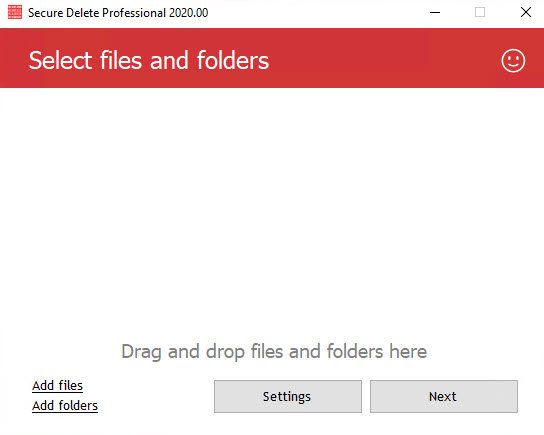
You can use this application in 3 ways. First, you can drag and drop files or folders which you want to securely delete to the main window of the software. Second, you can choose needed files or folders by clicking "Add files" link. Or, the third way, you can click any file or folder in Windows Explorer and in the popup menu choose "Send to" and choose "Secure Deleter". That's easy!
Security guaranteed
Don't think that simple interface means lack of quality. No, not in this case. Simple interface was made for newbie users. But inside there are many powerful algorithms for data destruction. Even newbie user can be sure that by using this simple tool he/she will get maximum security.
Operating System:
Windows® 10, Windows® 8 / 8.1, Windows® 7
Requirements .Net Framework 4.5
RELEASE NOTES
HOMEPAGEקוד:https://privacyroot.com/apps/freeware/tools-en-whatsnew-sfdlt-.php
קוד:https://privacyroot.com
Download From Rapidgator
Download From Nitroflareקוד:https://rapidgator.net/file/f05e4fbd9f8279bc17a00d4cc80e7824
קוד:http://nitroflare.com/view/989D0C802FFC656/BaDshaH.SecureDelete2021.0.rar

 ציטוט ההודעה
