






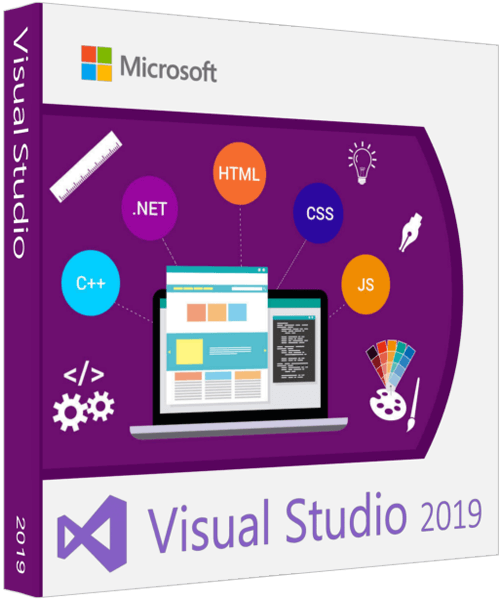
 Microsoft Visual Studio 2019 Enterprise / Professional / Community 16.9.0
All editions with Russian and English interface languages in one version | File Size: 23.35 GB
Visual Studio 2019Is a powerful IDE for building stunning Windows, Android and iOS apps, as well as modern web apps and cloud services. Visual Studio is available in three editions: the free Community Edition, which unites all Express versions, and the paid Professional Edition for small projects, and the Enterprise Edition for large projects. Today, the Visual Studio family of tools contains an IDE, a collaboration service - Visual Studio Team Services, its on-premise version, known as TFS, a comprehensive solution for implementing a full-fledged mobile application development cycle - Visual Studio Mobile Center, a cross-platform Visual Studio code editor Code (available for Mac, Linux and Windows), as well as a preview version of Visual Studio for Mac. With each version of the tools, Microsoft tries to accommodate the wishes of the developers and make them more convenient for creating applications for almost any platform. The result is huge interest and over 21 million tool installations to date.
Visual Studio features:
Testing tools. Visual Studio includes standard testing tools to help ensure high quality code. Take advantage of coded UI tests that automate UI testing in web and Windows applications, as well as unit testing, code coverage, and test impact analysis.
Database development. Database development requires the same care and attention as application development. Visual Studio includes deployment and change management tools to keep your database and application in sync at all times.
Debugging and diagnostics. Code analysis tools help you avoid common programming mistakes before launching applications into production. Configuring code analysis in Visual Studio is very easy thanks to rulesets that are tailored to specific scenarios or important sections of code. In addition, code metrics provide simplicity and maintainability of the generated program code.
Integrated development environment. Visual Studio provides a complete set of digital workplace management tools. The system includes customizable features such as multi-monitor support to help you organize your work in the most convenient way. You can unleash your full creativity with visual builders designed for the latest platforms.
Development platform support. With Visual Studio, you can bring your vision to life across a wide range of platforms, including Windows, Windows Server, Office, SharePoint, the web, the cloud, and more, with a single IDE.
Application Lifecycle Management (ALM). Building successful applications involves a clear and seamless process that is convenient for everyone on the team. Built-in application lifecycle management tools in Visual Studio enable effective communication and collaboration at all stages, as well as a visual representation of project status, making it easy to cost-effectively create high-quality solutions.
Team Foundation Server. Team Foundation Server (TFS) is a collaboration platform based on Microsoft's application lifecycle management solution. TFS automates and streamlines the software release process. In addition, it provides tracking of all milestones and a real-time view of project status for all team members through powerful reporting tools and dashboards.
What's new in Visual Studio 2019:
We focus on productivity improvements in every release of Visual Studio, but this release is focused on making you more productive. And here's what we came up with.
New launch window. The first thing you'll notice when you open Visual Studio 2019 is the new launcher window. The new launcher gives you the ability to clone or checkout code, open a project or solution, open a local folder, or create a new project. Delivered as a simple dialog box, these capabilities help both beginners and advanced Visual Studio users quickly jump to code.
Improved search. The new search interface, formerly called Quick Launch, is faster and more efficient. Search results are now displayed dynamically as you type your query. Search results include keyboard shortcuts for commands, making them easier to remember for future reference. The new search feature makes it easier to find commands, options, documentation, and many other useful things.
One-click code cleanup. The new document health indicator is supplemented with a new code cleanup command. This new command can be used to identify and resolve warnings and suggestions with the click of a button. The cleanup function will format the code and apply the fixes according to the current settings, editorconfig files, or Roslyn parsers.
Debugger improvements. Searching the Watch Window and Formatting Watch Values
You probably had to search for one row from a set of values in the control values window. In Visual Studio 2019, we've added a search in the Watchdog, Locals, and Visible windows to help you find the objects and values you want faster.
You can also choose the display format for the value in the Watch Values, Local, and Visible windows. Double-click one of the items in any window and add a comma (",") to access a drop-down list of format specifiers, each of which includes a description of the intended result.
Visual Studio Live Share. Visual Studio Live Share is a developer service that lets you share your code base and associated context with a colleague and enable bi-directional communication directly from within Visual Studio. With Live Share, a colleague can easily and securely view, modify, and debug a project you share. Visual Studio 2019 installs this service by default.
Support for the development of modern applications
Manage pull requests in the IDE. We are introducing a new extension that you can download for use in Visual Studio 2019. With this new extension, you can view, run, and even debug Pull requests without leaving the Visual Studio Integrated Development Environment (IDE). We currently maintain code in the Azure repos, but we intend to implement GitHub support and improve overall efficiency.
Developing with .NET Core 3 (preview). The Visual Studio 2019 preview supports building .NET Core 3 apps for any platform. We will continue to expand support and enhance cross-platform C ++ development and .NET mobile development for iOS and Android using Xamarin.
Continuous innovation
Monitor-Responsive Rendering (PMA). If you are using monitors that have different display scaling ratios or are remotely connected to a computer with display scaling ratios different from the main device, you may notice that the Visual Studio image looks blurry or is not scaled correctly.
With the release of Visual Studio 2019, we are taking the first steps towards implementing monitor-aware rendering (PMA) in Visual Studio. We've laid the foundation for Visual Studio to render correctly, regardless of the display scaling factors used.
Visual Studio IntelliCode. Visual Studio IntelliCode is an extension that improves the efficiency of artificial intelligence (AI) software development. IntelliCode analyzes 2,000 open source projects on GitHub to generate recommendations (-all of which have over 100 stars -).
Here are some examples of how Visual Studio IntelliCode can help improve performance:
provides context-sensitive code completion;
helps developers adhere to patterns and coding styles as part of a team;
searches for hard-to-find errors in the code;
when checking, draws attention to those parts of the code that really require checking.
System requirements:
Supported operating systems: Windows 10 version 1507 or higher: Home, Professional, Education, and Enterprise (LTSB is not supported); Windows Server 2016: Standard and Datacenter
Windows 8.1 (with Update 2919355): Basic, Professional, and Enterprise; Windows Server 2012 R2 (with Update 2919355): Essentials, Standard, Datacenter; Windows 7 SP1 (with latest Windows Updates): Home Premium, Professional, Enterprise, Ultimate
Equipment requirements:
1.8 GHz processor or faster
2 GB RAM (2.5 GB for running in a virtual machine)
1-40 GB of available hard disk space
Video adapter that supports a screen resolution of 1280 x 720 or higher
Keys:
Professional: KBJFW-NXHK6-W4WJM-CRMQB-G3CDH
Enterprise: NJVYC-BMHX2-G77MM-4XJMR-6Q8QF
HOMEPAGE
קוד:https://www.microsoft.com/
Download From Rapidgator
Download From Nitroflareקוד:https://rapidgator.net/file/cf4d689ea456a2170615f073ab2a2747 https://rapidgator.net/file/63bae54fc454e4940ebde0dd62b99e0e https://rapidgator.net/file/a43d2edffd3b49ee43ad5c5ddede4f08 https://rapidgator.net/file/371224f4acd1f4dc64c382d322dba7c8 https://rapidgator.net/file/bdd0ab0d4e7d002e94c9f550ca92a913 https://rapidgator.net/file/ed96971de2558ea7425e9badf860f1b6 https://rapidgator.net/file/7eacf4f1d2ba1be08158e10f52a30021 https://rapidgator.net/file/d29ea79c405bc9449e6e790e80949217 https://rapidgator.net/file/b02fa2fd2fc63cb11c7adbc4c51134fc https://rapidgator.net/file/360690d67e61a72452ef5ccb2ee41652 https://rapidgator.net/file/f26cbf3eccb1018afc3de8b0501bff6b https://rapidgator.net/file/06962ff79c8dbba2df5ebecad10b079e https://rapidgator.net/file/dc51dd9682396f5fe39b712935b33ba7 https://rapidgator.net/file/9a4ecb0922480e0844f5471a4940dea9 https://rapidgator.net/file/c50a73004bb104b08417b7b6635bdd88 https://rapidgator.net/file/c767b1a443d3dab7b0bc549afca93260 https://rapidgator.net/file/51a69542a01a6be3a4eabc01c62d50dd https://rapidgator.net/file/5af9388eb6c8ef4f5c491419b004fa94 https://rapidgator.net/file/cffd9d52a2458f964d4ea5b51b9a4969 https://rapidgator.net/file/bc20712193d7ef22054fef17deb60d38 https://rapidgator.net/file/090536ef22e97ebbfbbe370489c6101e https://rapidgator.net/file/70d74c577676ea1a9616e3aada50212f https://rapidgator.net/file/8a053c89aaf49877d956c2ba08ea8182 https://rapidgator.net/file/d486a722730465d297c14fbc8c87f2a4 https://rapidgator.net/file/10a8d5d6e48e2b4f58a0b8c5810be1cf
קוד:http://nitroflare.com/view/4BC1F1B02927129/BaDshaH.en_ru_VS_ent_pro_com_2019_16.9.part01.rar http://nitroflare.com/view/2266C179E82ADE8/BaDshaH.en_ru_VS_ent_pro_com_2019_16.9.part02.rar http://nitroflare.com/view/A467AFEF8549E1A/BaDshaH.en_ru_VS_ent_pro_com_2019_16.9.part03.rar http://nitroflare.com/view/EB790D4F834F5CB/BaDshaH.en_ru_VS_ent_pro_com_2019_16.9.part04.rar http://nitroflare.com/view/9A1C576B3E5145E/BaDshaH.en_ru_VS_ent_pro_com_2019_16.9.part05.rar http://nitroflare.com/view/A4845DD3E06BC12/BaDshaH.en_ru_VS_ent_pro_com_2019_16.9.part06.rar http://nitroflare.com/view/E6923C0B7234091/BaDshaH.en_ru_VS_ent_pro_com_2019_16.9.part07.rar http://nitroflare.com/view/B2ECF81087F2FAE/BaDshaH.en_ru_VS_ent_pro_com_2019_16.9.part08.rar http://nitroflare.com/view/64294E7E1179286/BaDshaH.en_ru_VS_ent_pro_com_2019_16.9.part09.rar http://nitroflare.com/view/B8411663BFF2B5F/BaDshaH.en_ru_VS_ent_pro_com_2019_16.9.part10.rar http://nitroflare.com/view/AC3D08B765FC61D/BaDshaH.en_ru_VS_ent_pro_com_2019_16.9.part11.rar http://nitroflare.com/view/AAF3BCFFA1D7BA1/BaDshaH.en_ru_VS_ent_pro_com_2019_16.9.part12.rar http://nitroflare.com/view/FDBED0264634DB4/BaDshaH.en_ru_VS_ent_pro_com_2019_16.9.part13.rar http://nitroflare.com/view/B9DDCE8236CF628/BaDshaH.en_ru_VS_ent_pro_com_2019_16.9.part14.rar http://nitroflare.com/view/9B0DD69851A9FBD/BaDshaH.en_ru_VS_ent_pro_com_2019_16.9.part15.rar http://nitroflare.com/view/9EB0FCACEE0A78F/BaDshaH.en_ru_VS_ent_pro_com_2019_16.9.part16.rar http://nitroflare.com/view/CE88CF921F28F23/BaDshaH.en_ru_VS_ent_pro_com_2019_16.9.part17.rar http://nitroflare.com/view/32DCA65CD073DB0/BaDshaH.en_ru_VS_ent_pro_com_2019_16.9.part18.rar http://nitroflare.com/view/8294BB91967DC8B/BaDshaH.en_ru_VS_ent_pro_com_2019_16.9.part19.rar http://nitroflare.com/view/E97BB295D6C3DEB/BaDshaH.en_ru_VS_ent_pro_com_2019_16.9.part20.rar http://nitroflare.com/view/5875CD96C5730C7/BaDshaH.en_ru_VS_ent_pro_com_2019_16.9.part21.rar http://nitroflare.com/view/E2F62F29B81B51F/BaDshaH.en_ru_VS_ent_pro_com_2019_16.9.part22.rar http://nitroflare.com/view/FCC5FBFEB34321B/BaDshaH.en_ru_VS_ent_pro_com_2019_16.9.part23.rar http://nitroflare.com/view/AA1484D52E0B2DD/BaDshaH.en_ru_VS_ent_pro_com_2019_16.9.part24.rar http://nitroflare.com/view/2456134D4F84313/BaDshaH.en_ru_VS_ent_pro_com_2019_16.9.part25.rar

 ציטוט ההודעה

