






 Slitheris Network Discovery Pro 1.1.314
File size: 10.12 MB
Welcome to the user guide for Slitheris Network Discovery. Slitheris is designed to agentlessly detect information from computers and other network devices, including those with credential or configuration issues. It's popular among Managed Service Providers (MSPs), but is also useful for anyone who wants quick network overviews, with or without a lot of technical knowledge. Because Slitheris is new and fairly straightforward, this first user guide provides simply a quick overview.
Slitheris, like other tools that use active scanning, may cause Intrusion Detection Systems (IDS) & Intrusion Prevention Systems (IPS) to alert. Please add an exclusion in any IDS/IPS for your local PC if needed. Please scan responsibly. Always get permission.
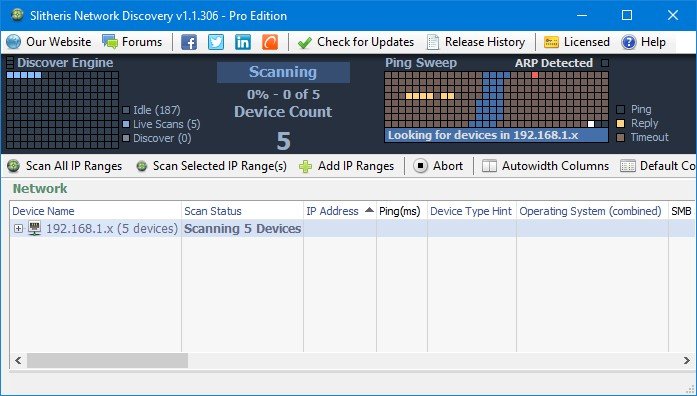
The top of the Slitheris interface is a dark blue dashboard displaying various information, including discovery engine, scanning status, device count, ping sweep and an IP map displaying the currently selected IP range.
IP range scans can be started 3 ways: scanning all at once, scanning selected ranges, or expanding any IP range. In an effort to offer a multi-threaded GUI, additional scans can be started while other scans are in progress.
What's new
HOMEPAGEקוד:https://www.komodolabs.com/slitheris-release-history/
קוד:https://www.komodolabs.com/
Download From Rapidgator
Download From Niroflareקוד:קוד:https://rapidgator.net/file/9270d16652a8388b545150211f7647a2
קוד:קוד:https://nitroflare.com/view/5DA1B6E60A7E882

 ציטוט ההודעה
