






 Ashampoo Photo Commander v11.0.2 Portable תוכנה עריכה תמונה ללא התקנה
היא תוכנת עריכת תמונות עשירה, אשר מתאימה גם למקצוענים וגם לחדשים בתחום העריכה.
יכולות התוכנה לא נגמרות רק בעריכת תמונות, ישנם אופציות של לכידת תמונה, סריקה, עריכה וסידור של קבצי וידאו (AVI, MKV, DIVX, 3GP, MOV, WMV, MP4, FLV) וגם קבצי אודיו (MP3, FLAV, WAV, WMA)
Photo Commander 11 מביאה איתה שיפורים רבים:
- סידור התמונה הרבה יותר קל ונוח.
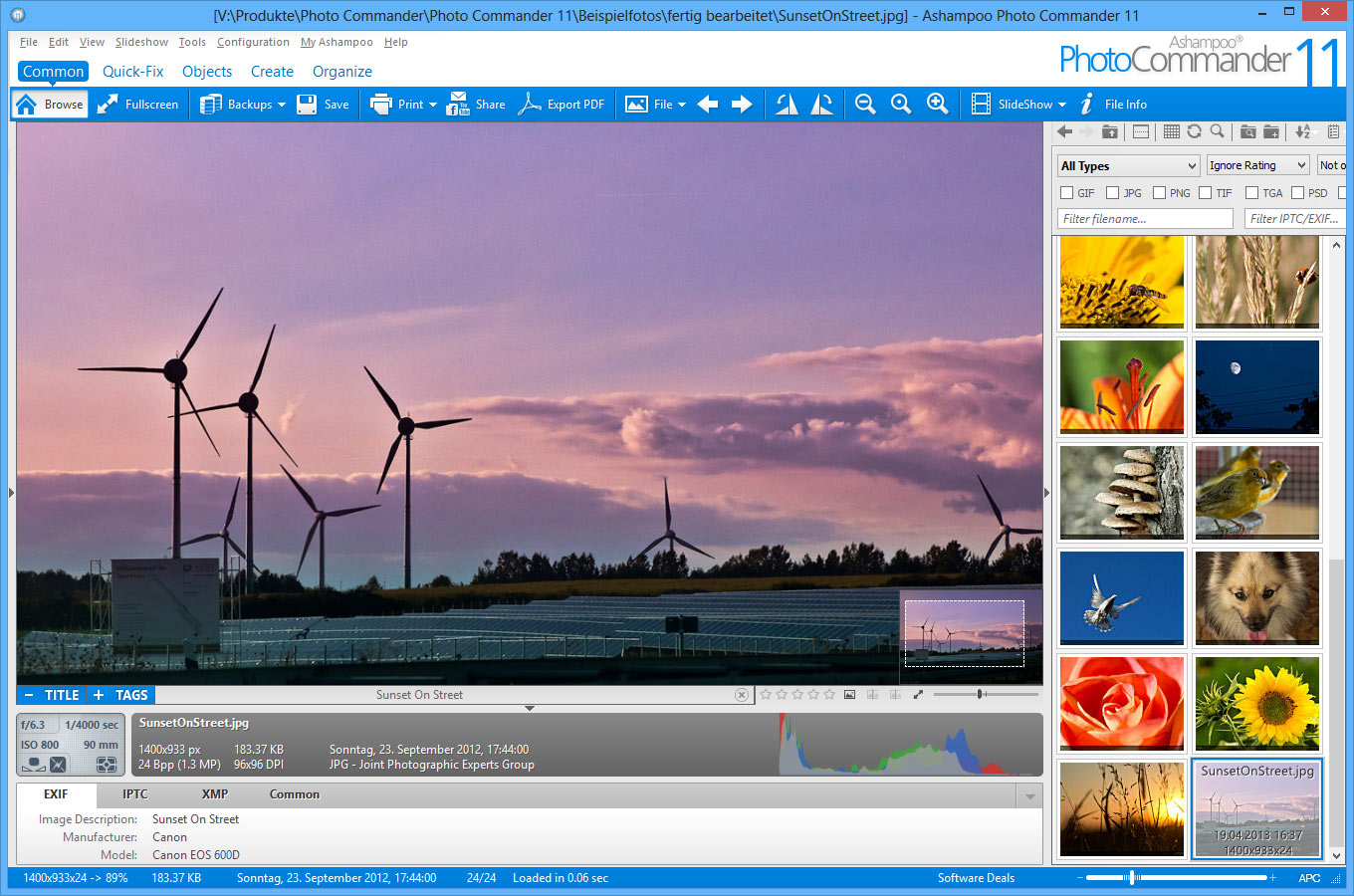
- סידור כמות גדולה של תמונות לפי קבוצות, הוספת תגיות, הערות ומיקומם בתיקיות וירטואליות בתוך התוכנה.
- ניתן להמיר ולערוך כמות גדולה של תמונות בבת אחת או עריכה ידנית לכל תמונה.
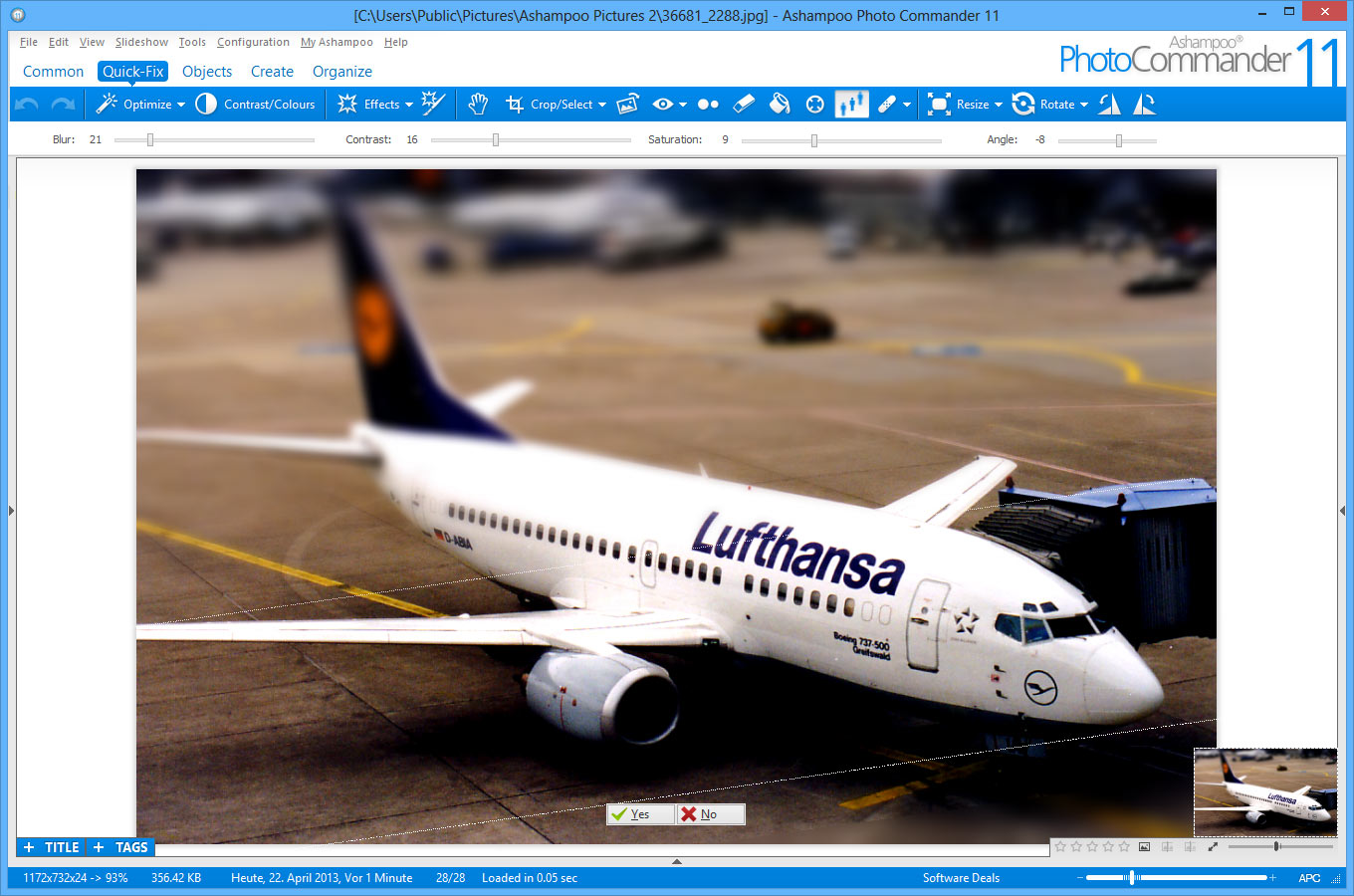
- לחיצה על כפתור "Quick-Fix" (פתרון מהיר), יאפשר לכם בקלות לחתוך, להעלים עיניים אדומות, לשנות גודל, לחדד ולשנות עוצמות תאורה של כל תמונה. בנוסף ישנם אפקטים מוכנים מראש שניתן להכיל על התמונות, כמו : תמונות שחור לבן, ציור שמן, הפיכת צבעים ועוד…
- תחת תפריט יצירה, ניתן ליצור דף אינטרנטי של אלבום תמונות, לוח שנה, קולאז', כרטיסי ברכה, מסמך PDF, אנימצית GIF ואפשרות לצרוב דיסק CD/DVD עם מצגת תמונות, ישירות מהתוכנה.
- ועוד מגוון רחב של אפשרויות
Everything out of the Box - Image Viewer, Organizer, Editor, Converter and PublisherWhether it's simple brightness, contrast and color manipulations or complex tasks such as image restoration, Ashampoo Photo Commander 11 provides everything you need in one intuitive package.
Manage, organize and browse your photo collection
Work with intuitive wizards to achieve best results
Save time and auto-adjust your images for maximum visual clarity
Restore picture quality and remove noise, scratches and other unwanted objects
Become creative with a myriad of brilliant image effects
Convert between numerous image formats
Turn your images into greeting cards, calendars or photo collages
Upload your work to social networks or share your images through email
New Features in Ashampoo Photo Commander 11
User Interface
Enhanced wizards: Recursively add files from directories, auto-store files in default image folder where appropriate
MiniMap: Drag within the mini overview to scroll inside images
Zooming: Smoother zooming with redesigned zoom bar
Easy-Printing: Support for imperial measurements
Color-Picker: Icon-drag support to select any visible color
Fullscreen view: Auto hide/show image tags
Compare mode: Auto-enable dual-view on image modifications
Image effects: Instant visual feedback through live previews and context-sensitive effect-strength adjustments
Photo Backup & History
Auto-backups: Prior to each save, image copies are created to preserve the original state
1-Click restore: Revert to original image states or browse between all available states with a single click
Easy overview: View all available backups for an image as menu entries sorted by date
Image Restoration & Optimization
Automation: Auto-detection for text objects and scratches
Styles: 4 different styles to remove unwanted (text) objects and scratches
DeNoise: New denoise routine with presets to balance speed and quality
Optimization: Revised contrast/color/skin optimization routines for quicker results
Image Effects
Effect Pen: Apply effects with pixel precision, draw over existing effects to create combinations
New effects: Soft Blend, Motion Blur, Zoom Blur, Noise, Splash, Bulge, Twist, Wave, Glass, Video
Tilt-shift tool: Transform photos into stunning miniature scenes
3D Support
MPO/JPS import for 3D photos with 2D export as JPG or side-by-side images
3D images will be displayed as animations to provide a pseudo-3D effect on 2D displays
File Handling
Thumbnails: Improved video thumnail creation
RAW files: Improved RAW plugin with support for additional camera models
Browsing: Faster browsing through large photo collections (3000+ files)
Adobe XMP support: Load, save and view XMP Metadata, supports 5 star ratings for JPG files
Operating System:
Windows® XP, Windows Vista®; Windows® 7, Windows® 8
For users of Windows® XP we recommend Service Pack 2 or later.
Computer:
Any computer that runs one of the above operating systems. You need a graphic-card with a resolution of at
least 1024 x 768. Furthermore the program requires a mouse or a
compatible pointing device and optional a CD- or DVD-Recorder for the production of Photo-CDs resp. Photo-DVDs.
RAM and disk space:
Min. 256 MB RAM, Hard Disk Space 180 MB
Software:
To send files by e-mail you need a MAPI-compatible e-mail client like MS Outlook,
MS Outlook Express or Mozilla Thunderbird.
To create PDF-files you need to have acrobat reader installed on your computer.
Microsoft Visual C++ 2010 x86 Redistributable
Version 11.0.2 - 20130429
=========================
New Features:
- None.
Changes:
- RAW PlugIn knows RWL extension.
Bugs Fixed:
- APCDOC handling.
- Browser: Thumbnailwindow may always on top while scanning.
- Browser: Copy file listing to clipboard not working.
- De-noise black pixels.
http://www.f2h.co.il/2q0tv6yghnz
https://www.virustotal.com/he/file/2b036ebf2af714d7dde828525c1f0bda6aea05ffaf709d5efb1819f5cd9870cb/analysis/1367826711/נ


 ציטוט ההודעה
